Local-first. Your data never leaves your machine.

Know where your
money goes

Upload PDF bank statements. AI extracts and categorizes every transaction. Detect subscriptions, visualize spending flows, and get actionable insights — all running locally on your machine.

Expenlytics reports dashboard showing spending summary, charts, and analytics

Features

Everything you need to understand your spending

PDF Import & AI Extraction

Drag-and-drop bank or credit card statement PDFs. Claude extracts every transaction with date, description, amount, and category. Duplicate detection across overlapping statements.

71 Smart Categories

AI classifies transactions into 71 categories across 16 groups. Searchable combobox for manual edits. Re-classify everything when the taxonomy improves.

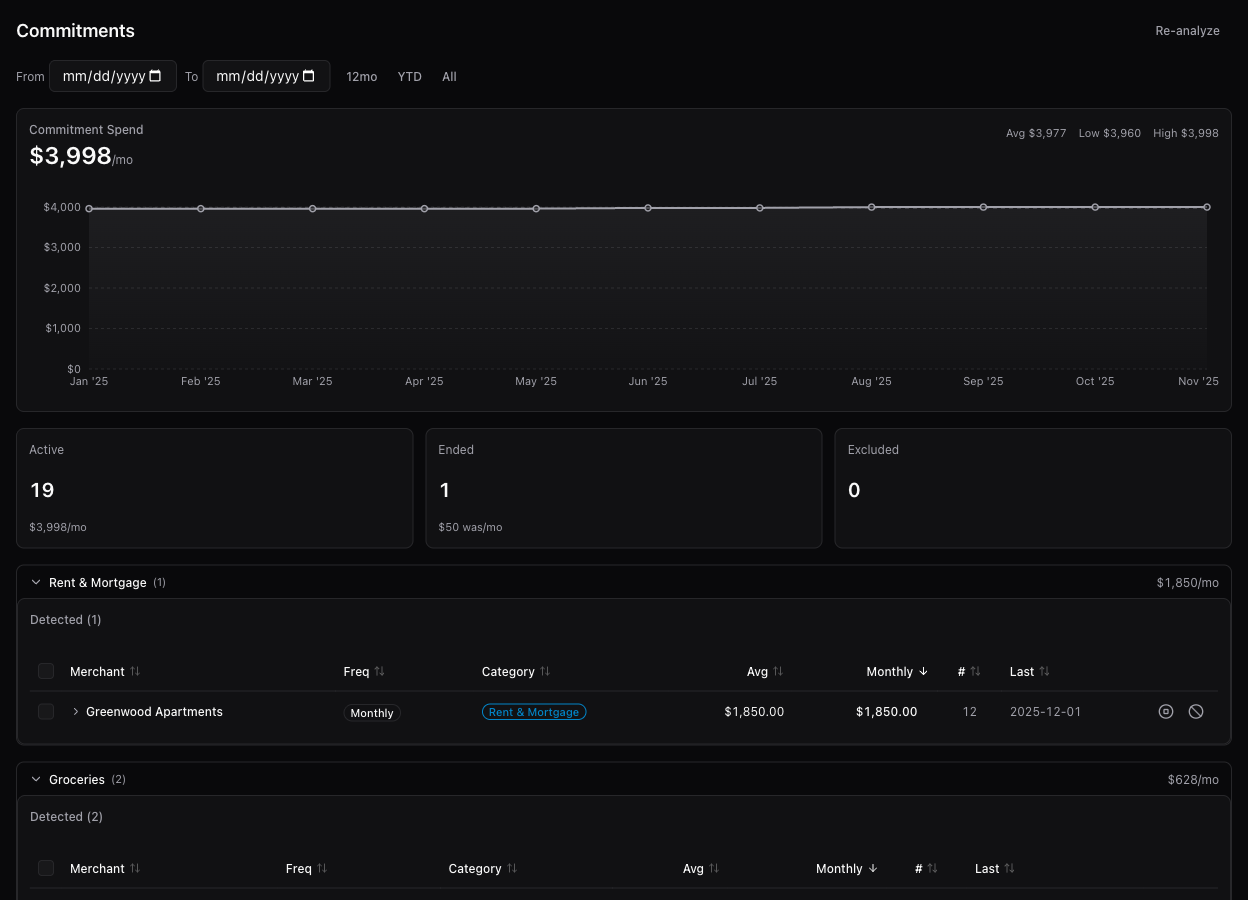
Subscription Detection

Automatically detects recurring charges by normalized merchant name. See frequency, monthly cost, and yearly totals. Merge duplicates, dismiss false positives.

Reports & Sankey Diagram

Bar charts, pie charts, and trend lines for spending analysis. A custom Sankey diagram visualizes money flow from income sources through category groups to individual categories.

AI Spending Insights

Claude Haiku analyzes 6 months of data and generates observations about cross-category patterns, unusual spending, and actionable suggestions. Statistical trend detection too.

Fully Local & Private

Everything runs on your machine. SQLite database stored locally. PDF statements never leave your computer. The only external call is to Claude for AI extraction.

Transaction Management

Every transaction, organized

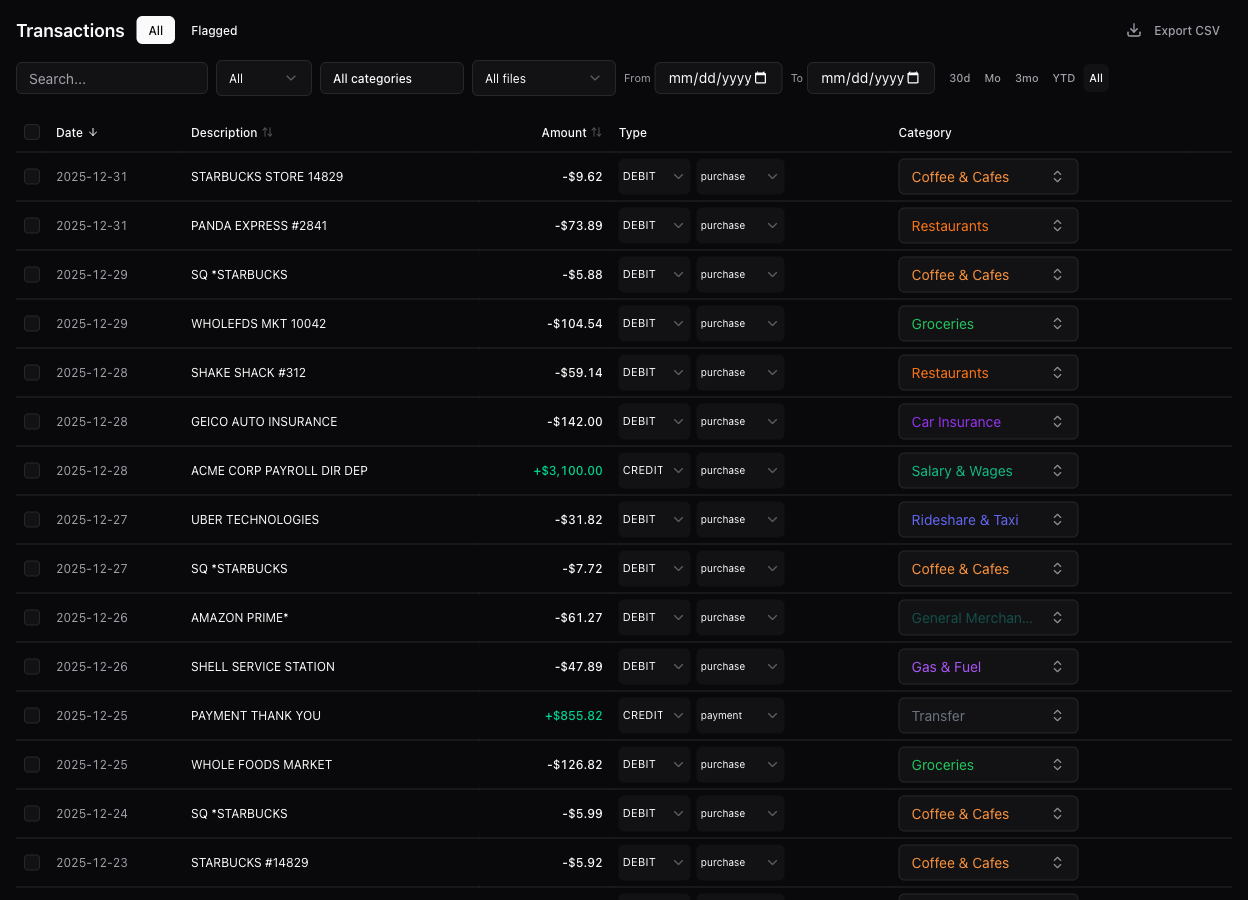
Filter by type, category, date range, or document. Inline category editing with a searchable combobox. Bulk select and delete. Pagination for large datasets. Search across all descriptions.

Transactions page with filters, search, and inline category editing
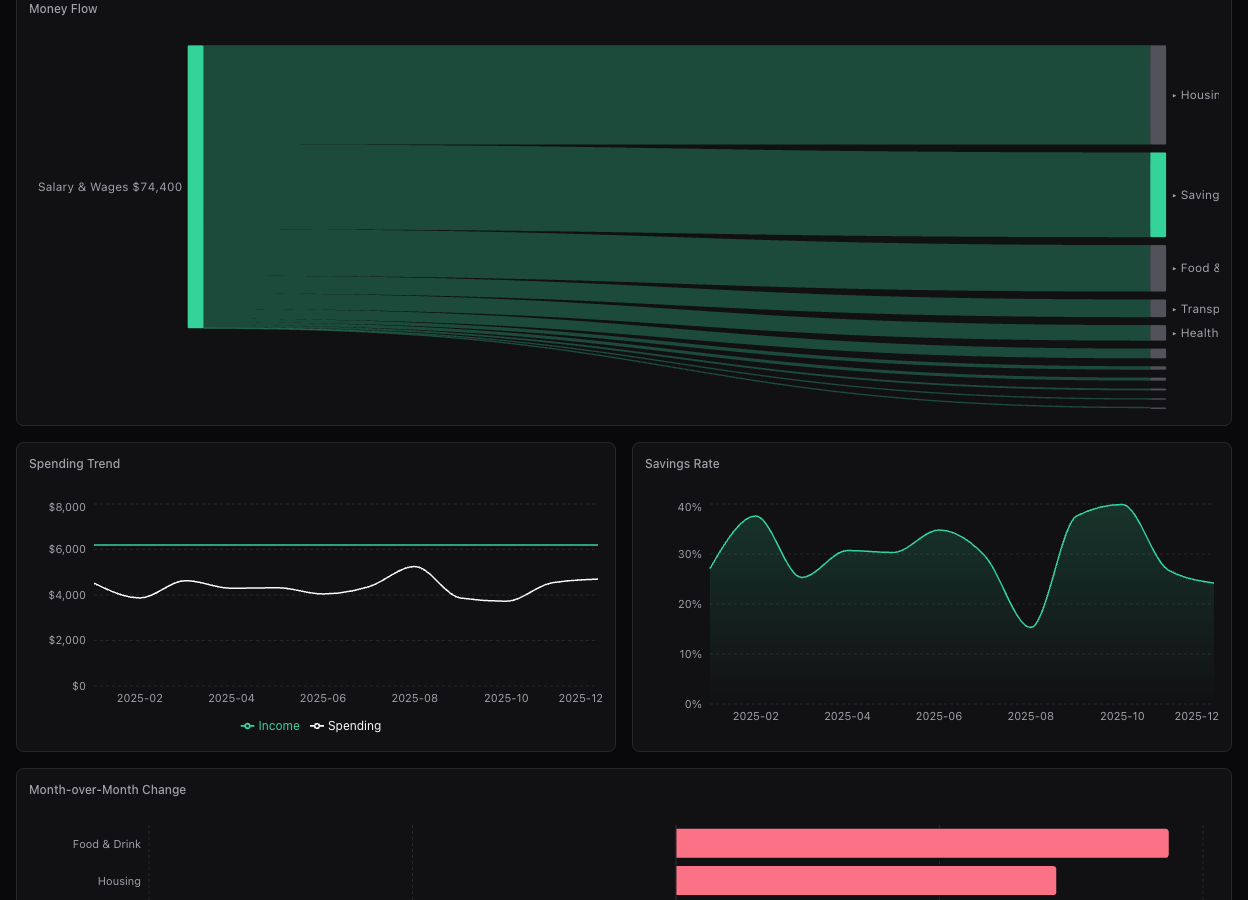
Reports dashboard with spending charts, pie chart, and Sankey diagram

Reports

Charts that tell the story

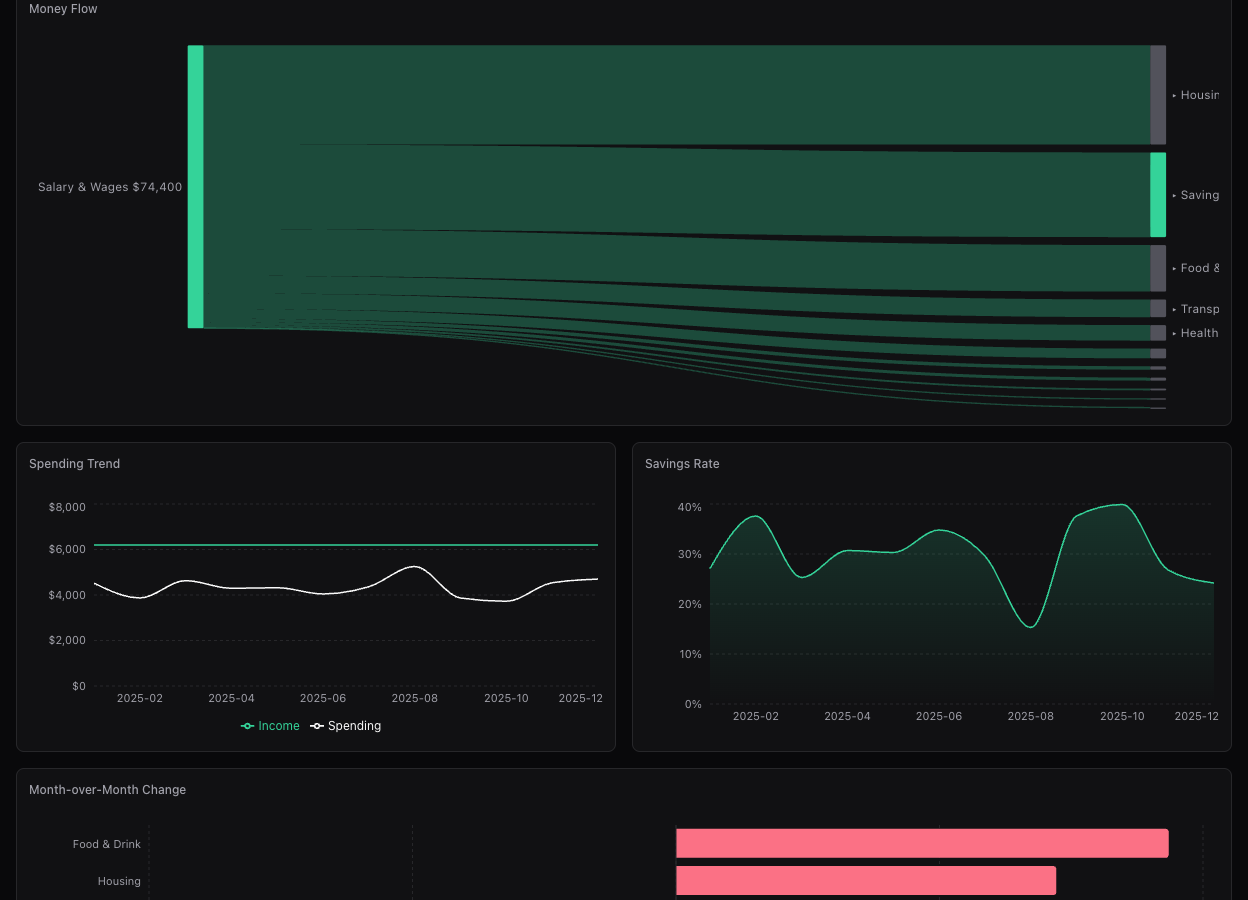
Summary cards for total spent, income, and averages. Spending over time bar charts, category breakdown pie charts, and spending trend lines comparing debits vs credits.

Money Flow

See where every dollar goes

A custom Sankey diagram traces income from sources through category groups to individual categories. Net savings are shown as a separate node so you can see the full picture at a glance.

Sankey diagram showing money flow from income through category groups to categories
AI insights dashboard with spending observations and statistical analysis

Insights

AI-powered spending analysis

Claude analyzes months of spending data and surfaces patterns you might miss. Category trends, lifestyle inflation, recurring charge growth, and spending shifts — ranked by severity and recency.

Subscriptions

Track every recurring charge

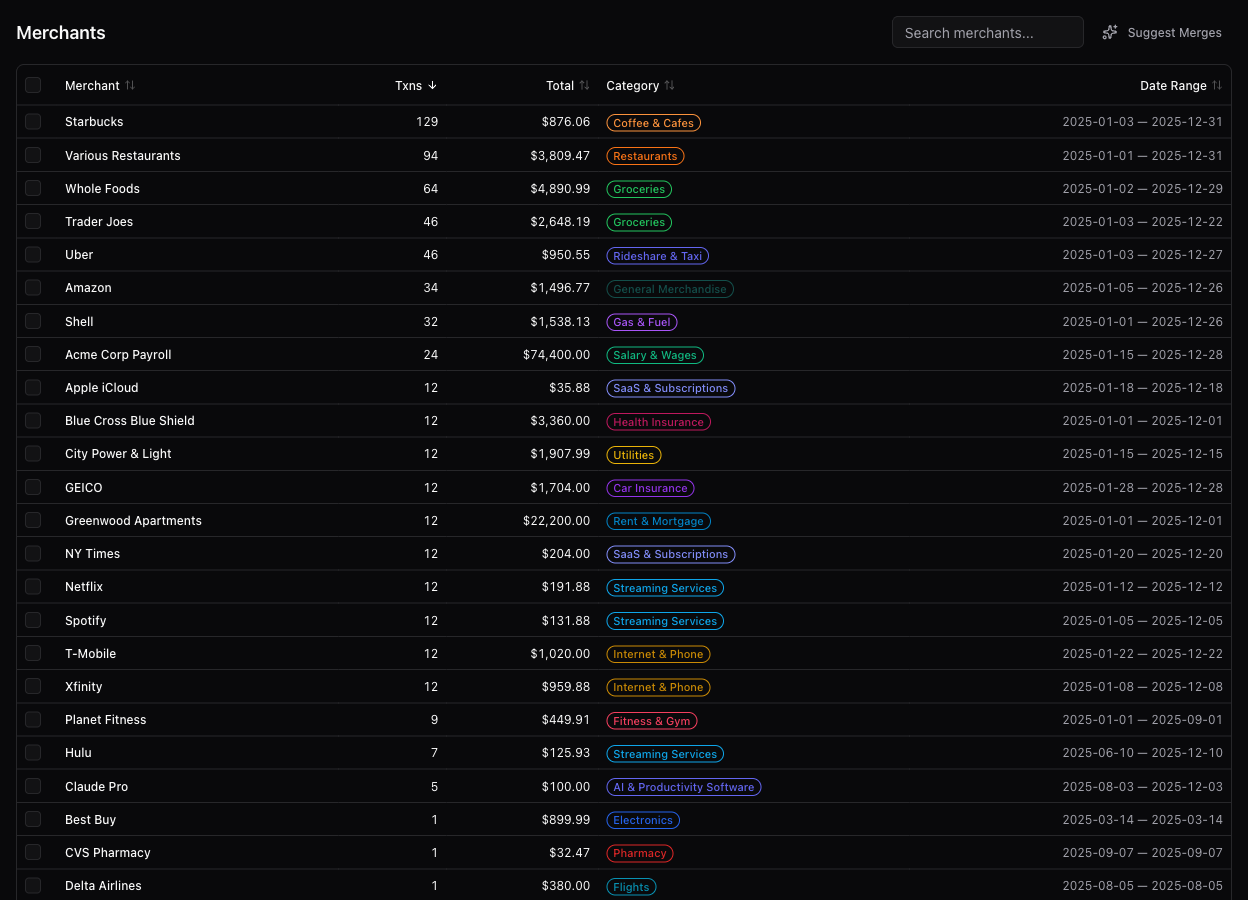
Automatically detects subscriptions and recurring payments by normalized merchant name. See frequency, average cost, monthly and yearly totals. Merge duplicates, dismiss false positives.

Recurring charges page showing detected subscriptions with frequency and cost
Spending trend chart comparing income vs spending over time, and top transactions table

Spending trends and top transactions

Getting Started

Up and running in minutes

1

Clone and install

$ git clone https://github.com/aromasca/expenlytics.git
$ cd expenlytics && npm install
2

Add your Anthropic API key

$ echo 'ANTHROPIC_API_KEY=sk-ant-...' > .env.local

Used for PDF extraction, categorization, and insights. Get a key at console.anthropic.com.

3

Start the dev server

$ npm run dev

Open localhost:3000 and upload your first PDF statement.

Built With

Modern, minimal stack

Next.js 16

App Router

React 19

Server & Client

TypeScript

Strict mode

Tailwind v4

Utility CSS

SQLite

better-sqlite3

Claude AI

Anthropic SDK

Recharts

Charts

d3-sankey

Flow diagrams

Start tracking your spending

Open source, local-first, AI-powered. Clone the repo and upload your first statement.

View on GitHub